How to Collect
Your BIB
Follow this step-by-step guide to collect your race BIB from the Fitistan Website — whether you're picking it up yourself or assigning someone else.
View the full documentation below ↓
Open the BIB Access Link
Open the BIB Access Link and search for your entry Link and search for your entry.
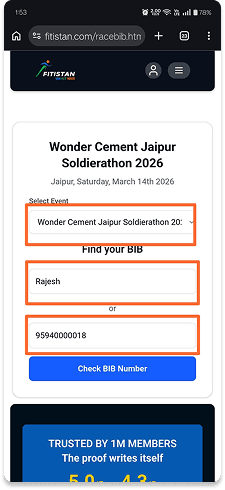
Open the BIB Access Link
Click on the official Fitistan BIB link: fitistan.com/racebib.html. You will be redirected to the Fitistan website.
Select Your Event
Choose the specific marathon you are registered for from the available options.
Search for Your Entry
Enter your Name or Mobile Number in the search field to find your registration details.
Identify Your Profile & Initiate QR Code Access
Locate your profile from the list and get your QR code to proceed with BIB collection.
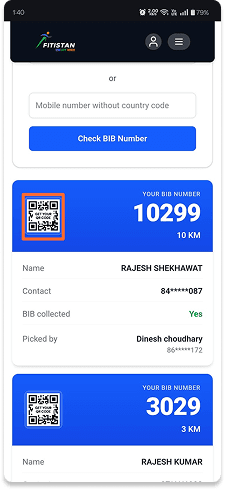
Identify Your Profile
Browse through the list and locate your profile using your Name and Mobile Number.
Initiate QR Code Access
Click on “Get your QR Code” on your player card to proceed.
Verify Your Details & Complete OTP Verification
Confirm your identity by entering your details and verifying with a one-time password sent to your mobile.
Verify Your Details
Enter your Name and Mobile Number, then request an OTP for verification.
Complete OTP Verification
Enter the OTP received on your mobile number to authenticate your request.
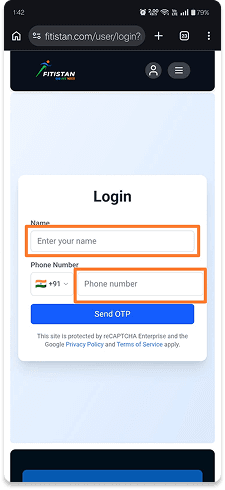
Enter Details & Send OTP
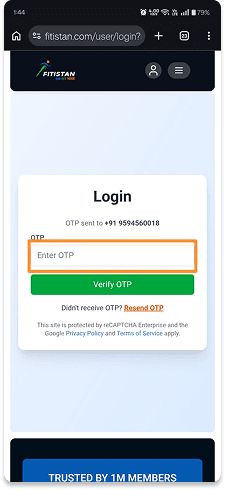
Enter OTP to Verify
Book Expo Slot & Complete Verification
Select your preferred expo time slot and complete the verification by uploading a selfie and a valid ID proof. This step ensures a smooth and seamless BIB collection experience at the venue.
Choose Your Slot
Pick a convenient date and time slot for BIB collection from the available options.
Upload a Selfie
Click a clear selfie of yourself. Ensure good lighting and your face is fully visible.
Upload ID Proof
Upload a government-issued photo ID (Aadhaar, PAN, Passport, Driving Licence, etc.).
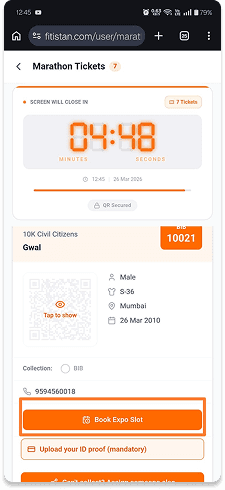
Event Ticket
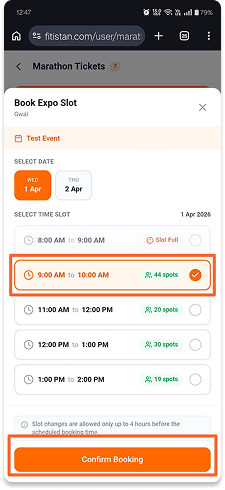
Select Time Slot
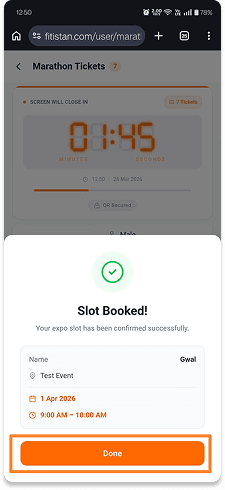
Slot Booked
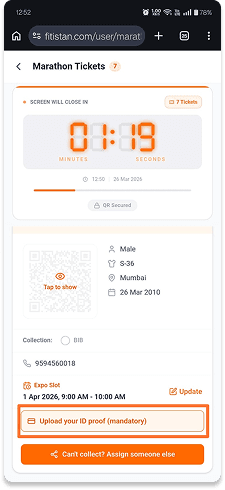
Complete Verification
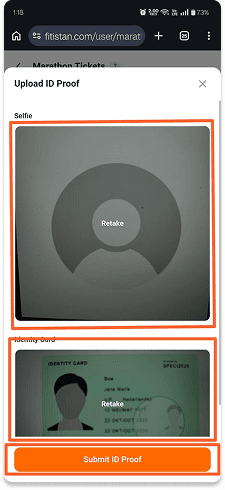
Upload Selfie
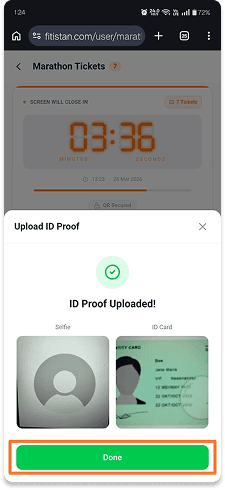
Upload ID Proof
Important: Your selfie and ID must match. Verification is mandatory.
Collecting Your BIB
Once verified, you have two options — collect the BIB yourself or assign someone else to pick it up on your behalf.
Collect Yourself
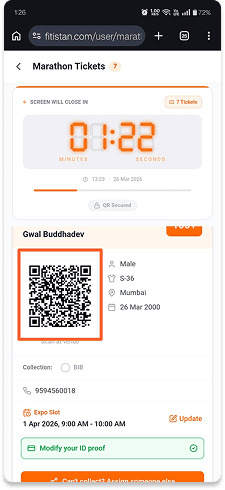
Tap to Show QR
Access Your QR Code — Once verified, your QR code will be displayed. This QR is linked to your BIB details.
BIB Collection at Venue — Present your QR code at the event counter. After scanning and verification, your official BIB will be handed over to you.
Assign Someone Else
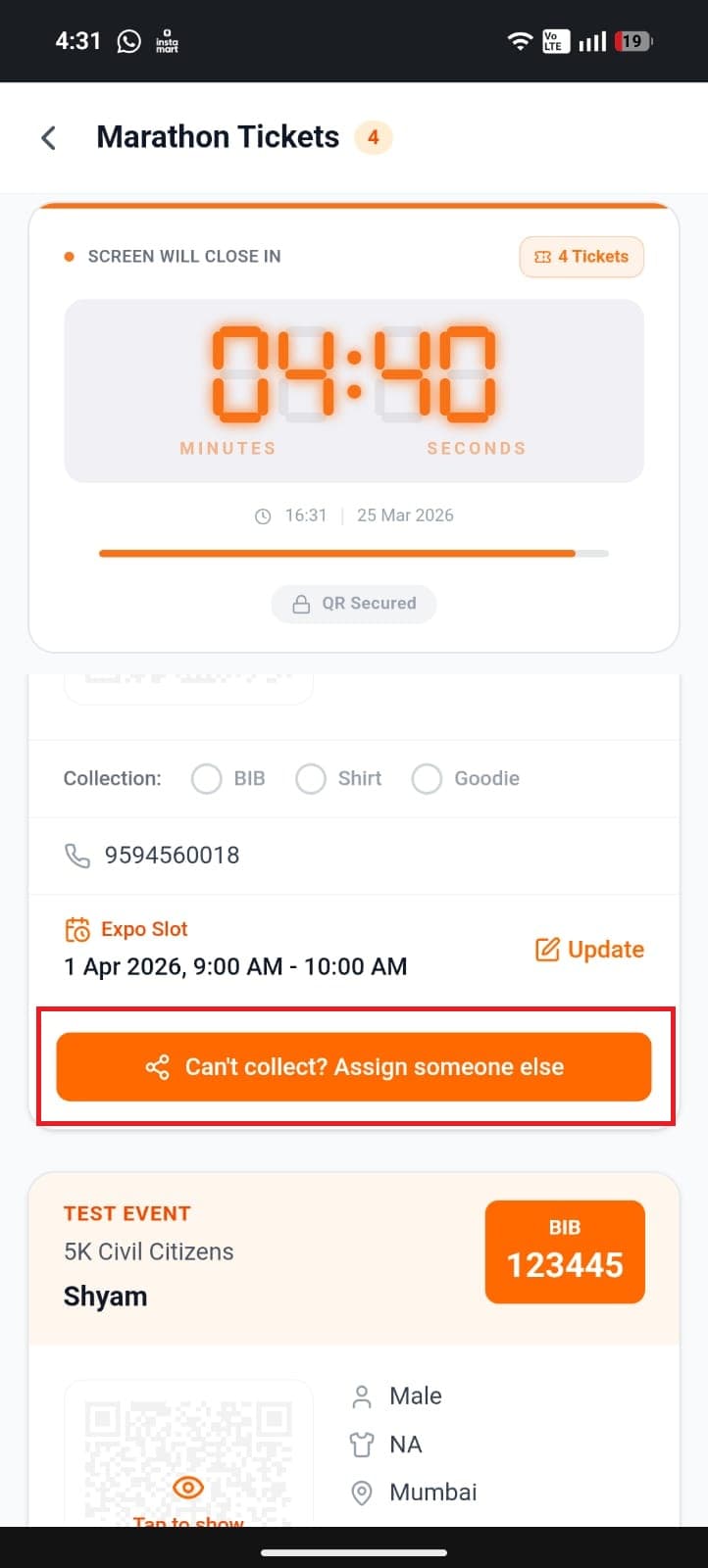
Assign Option
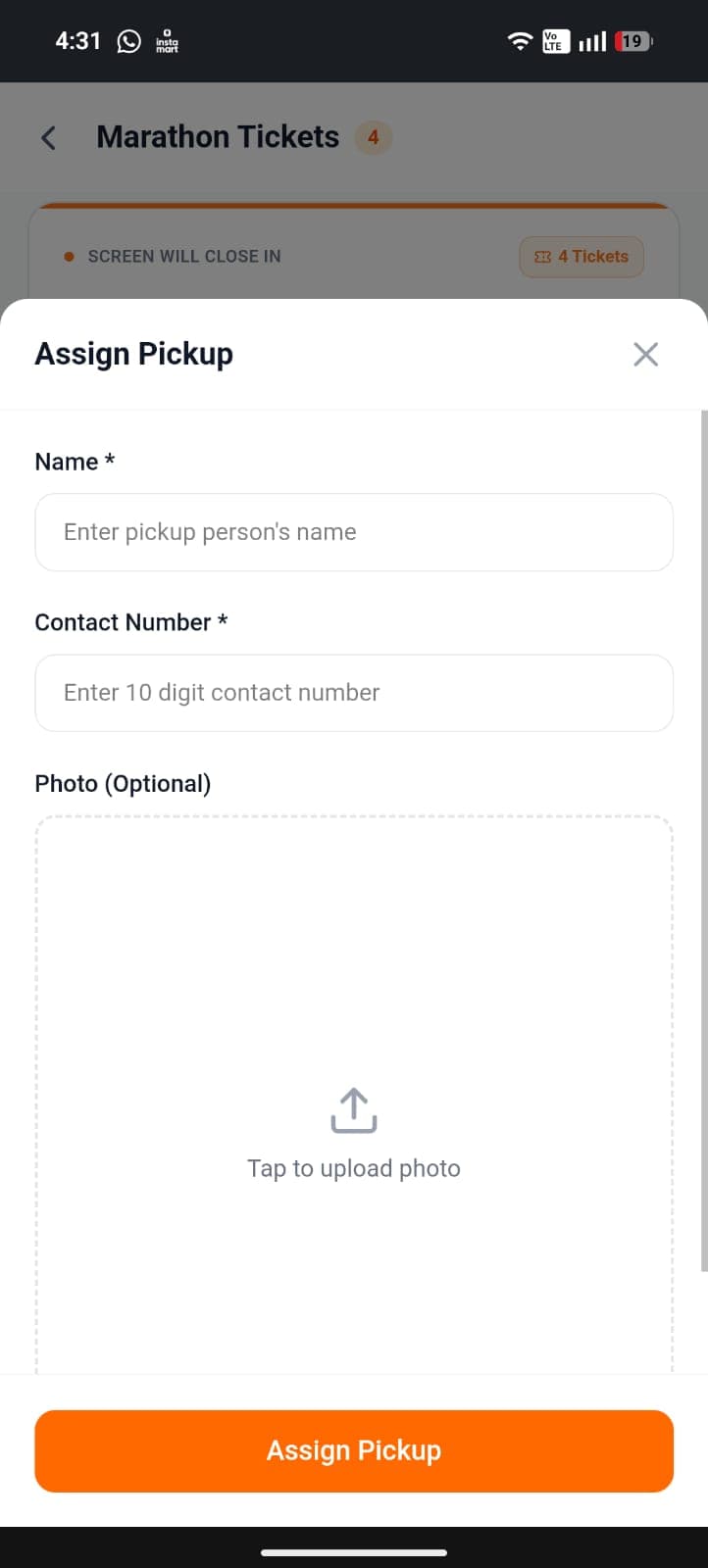
Assignee Details
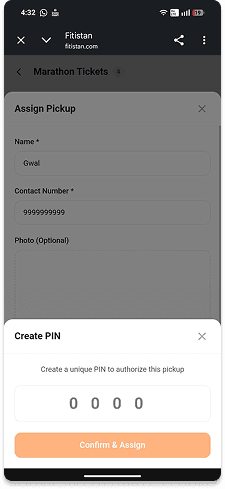
Set PIN
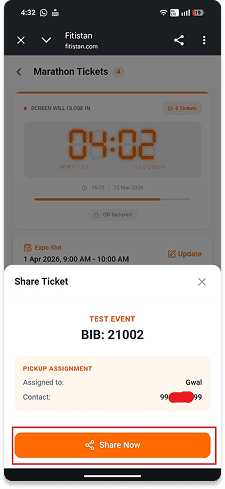
Share Link
Select Assign Option — Scroll down and tap on "Can't pickup? Assign Someone else".
Enter Assignee Details — Provide the assignee's Name and Mobile Number. You can also upload their photo (optional) for easier identification.
Create a Security PIN — Set a 4-digit PIN. This PIN will be required by the assignee to access the QR code securely.
Share Ticket Link — Tap on Share to generate a secure link and send it to the assignee.
Assignee Verification
& QR Access
The person collecting on your behalf follows these steps using the shared link.
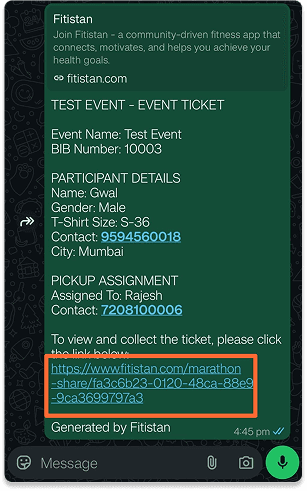
click on link
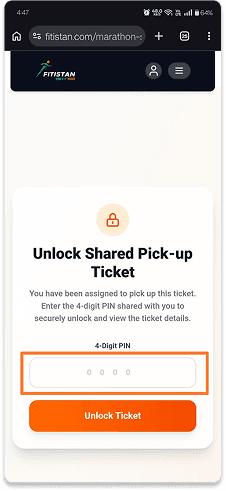
enter pin
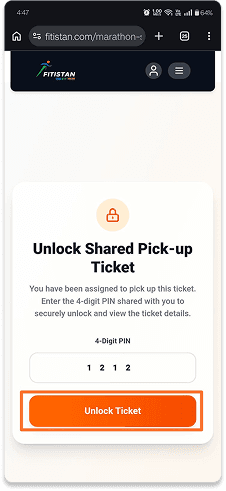
unlock ticket
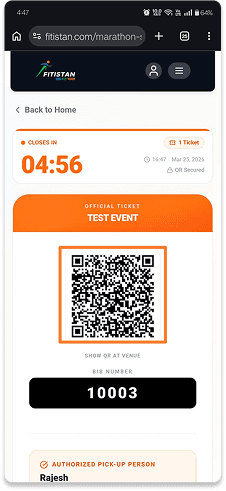
Collect BIB
Open the Shared Link
The assignee taps the link shared by the participant. It opens in a browser or the Fitistan App.
Enter the 4-digit PIN
The assignee enters the PIN that the participant set during the assignment process.
QR Code is Revealed
After successful PIN verification, the QR code is displayed on the assignee's screen.
Collect the BIB
The assignee presents this QR code at the BIB counter. The volunteer scans it and hands over the BIB.
You're Ready to Run!
Download the Fitistan App, complete your verification, and collect your BIB. See you on the race ground, soldier.